Download
Colorcast is in early access. Builds are unsigned for now, so Windows will ask you to confirm the first run — the steps are below.
macOS
Join the waitlistLinux
Join the waitlistFirst run on Windows
- Run the installer (
Colorcast_x64-setup.exe). SmartScreen shows "Windows protected your PC" because early builds aren't code-signed yet. - Click More info, then Run anyway. Compare the SHA-256 shown above (also in the release checksums) if you want to be sure:
Get-FileHash .\Colorcast_*-setup.exein PowerShell.
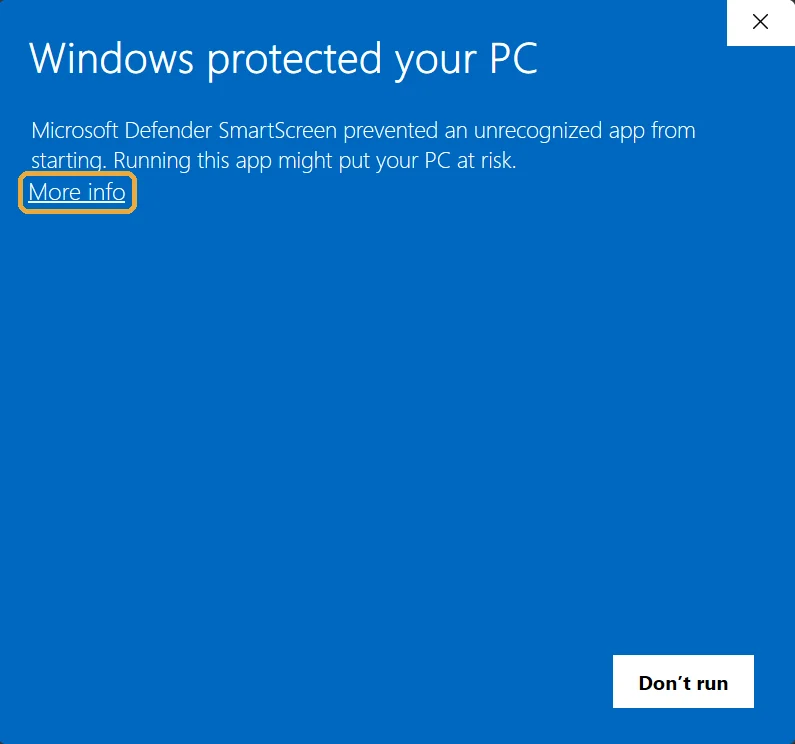
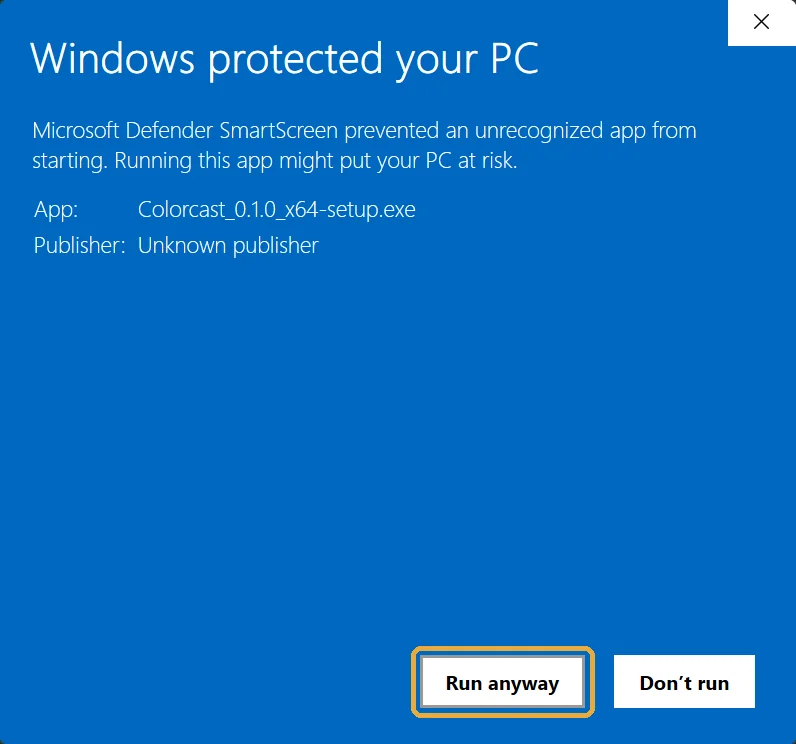
- Open Colorcast, pick an output device under Audio, choose a persona and a game, and press Ctrl+Shift+F5.
Stream Deck users: install the Colorcast Stream Deck plugin and paste the token from Triggers into any Colorcast key.
Waitlist for macOS and Linux
Email [email protected] with "macOS" or "Linux" in the subject and we will write once when your platform ships. Nothing else.
System requirements
- Windows 10 21H2 or later, 64-bit. Any GPU. Local speech recognition uses the CPU; NVIDIA CUDA is used when present.
- An audio output device for narration. A virtual cable (VB-Audio Cable, VoiceMeeter) if you want it in Discord or proximity chat.
- An internet connection while narrating: the writer and voices run on our relay.